
Quick Graphs in Excel 2007
If you have data in an Excel spreadsheet which you want to represent in a graph, just select any cell containing the data and press the F11 key. Right-click on the graph border to change the graph type, location or data.
Format Painter functions using keystrokes
The Format Painter tool is frequently used when
Showing posts with label Tips and Tricks. Show all posts
Showing posts with label Tips and Tricks. Show all posts
Thursday, December 31, 2009
MS Office Tips & Tricks
Vista, Internet Explorer and Outlook tips
Vista, Internet Explorer and Outlook tips
Internet Explorer
Is tabbed browsing cluttering up your life?In the Tools menu, select Internet Options. In the General tab, under Tabs, click the Settings button. Uncheck the topmost checkbox, which is labeled Enable Tabbed Browsing (requires restarting Internet Explorer), and click OK. To enable the tabbed browsing function later, just go back and select this option, and save your preferences.
Find on the Web Page
Monday, December 21, 2009
The Port Guide, Port number and info
This summary is not available. Please click here to view the post.
Untold Windows Tips and Secrets B

Welcome to another Hacking Truths Manual. This time I have a collection of Tips and Tricks which no body normally knows, the secrets which Microsoft is afraid to tell the people, the information which you will seldom find all gathered up and arranged in a single file. To fully reap this Manual you need to have a basic understanding of the Windows Registry, as almost all the Tricks and Tips involve this file.
Some Tips And Tricks For Your Windows XP

STOP NOISE IN COPYING AUDIO CD
When using 3rd party burning software (eg, Nero Burning Rom) to copy audio CD,some noise may be heard at the end of each track. To prevent this,try the following method:
1. Enter System Properties\device manager
2. Select IDE ATA/ATAPI controllers
3. Double click on thee CD writer IDE channel
4. Select advance setting
5. Change the transfer mode to 'PIO Only'
6. Restart Computer
The difference between DVD-R, DVD+R, DVD+RW and DVD-RW explained

There's DVD+R, DVD+RW, DVD-R, DVD-RW, and even DVD-ROM! So what's the difference between all of these different names, aren't all DVDs the same? Well, it's not quite that simple.
Let's first start with the most obvious difference: some have R and some have RW. The "R" stands for readable, while the "W" stands for writeable.
Stop A Restart Process In 3steps

Some times we need to stop some restart process quickly. In windows XP some times it gives auto restart warning and here is good solution for it.
1. Go to Start menu
2. Click on RUN
3. Enter the following command excluding hashcodes "shutdown -a"
its Done.
Single Click Shutdown

Did you know that in Windows XP you can shut down your computer from the (eventually DOS prompt) command line box? Moreover, you can do this by clicking your mouse only once.
All you need to do is... right-click on an empty Desktop spot -> select New -> Shortcut -> type shutdown followed by a space, and then enter one or more of the parameters listed below -> click Next -> type a suggestive name for your new shortcut -> finally, click Finish.
Thursday, December 17, 2009
Speeding Up your Windows XP
Before you begin using this tutorial, kindly follow these tips:
- Follow every instructions very carefully.
- Make a back-up copy of your hard disks, in case you do anything wrong.
- Make a system restore point. In case you do anything wrong, you can just restore your PC to earlier settings.
- Before editing the registry, backup the registry first.
- Most changes take place after you reboot your PC.
Tuesday, December 15, 2009
How to create Windows XP Live CD, complete with preinstalled programs
To create a Windows XP Live CD we will require
1. Bart PEbuilder
2. A CD burner like Nero
3. A bootable Windows XP CD and
4. Some pebuilder plugins to customize the CD.
Step 1: Download PeBuilder from here and install it.
Hidden Programs In Windows Xp and Program Codes
1- Private Character Editor : This program is for designing icons
and Characters (Alphabets)
Click :start
Then :run
type :EUDCEDIT
Why You Should Backup Your Windows Registry
Importance of Making Registry Backups
The Windows Registry is one of the most important components of your Windows computer, because all configuration information related to hardware and software installed on your computer is stored within it. Therefore, not a single operation can be performed on your PC without consulting the registry.
To ensure that your PC is free from errors, it is important for you to maintain a healthy registry.It is also a
Writing .Reg Files
Writing .Reg Files
1.) Header line: this FIRST line is mandatory. MUST contain only these exact words (case sensitive = character capitalization required!):
- REGEDIT4 = for Windows 95/98/ME and NT 4.0 or
- Windows Registry Editor Version 5.00 = for Windows 2000/XP.
This is the only way Windows OS can recognize, validate and run a .REG file.
The Registry
It was introduced to replace the text/ASCII based MS -DOS configuration (.BAT, .SYS) and MS Windows initialization (.INI) files.
Structure of Registry in windows 9X is Different from that of Windows NT,2000 and XP.
Windows 95/98/ME :In these operating systems Registry is stored in these 5 files, with the Hidden,
Monday, December 14, 2009
Make Your Windows VISTA Super Fast
So you are using Windows Vista and feel that its slower than Windows XP? Then you have come to the right place.
Following tutorial will help you in tweaking your Windows Vista to the max and you’ll feel a significant improvement in your system performance. So without wasting any time lets start:
Following tutorial will help you in tweaking your Windows Vista to the max and you’ll feel a significant improvement in your system performance. So without wasting any time lets start:
1. Following code contains a few registry modifications, which are completely safe and can increase the performance of Windows Vista. Just paste following code in Notepad, save the file with name “Vishal.reg” (including quotes) and then run it:
.FLV – .MOV – .MP4 Thumbnails for Win XP WORKING, Add any extension and see a thumbnail of it…
It’s pretty easy once you got the trick… All you had to do is create a REG file with the next lines:
REGEDIT4
[HKEY_CLASSES_ROOT\.flv\ShellEx\{BB2E617C-0920-11d1-9A0B-00C04FC2D6C1}]
@=”{c5a40261-cd64-4ccf-84cb-c394da41d590}”
Hard drive gone bad

The most common problems originate
from corruption of the master boot record, FAT, or directory.
Those are soft problems which can usually be taken care of
with a combination of tools like Fdisk /mbr to refresh the
master boot record followed by a reboot and Norton disk doctor
or Spinneret.
getting movies, mp3,games using google
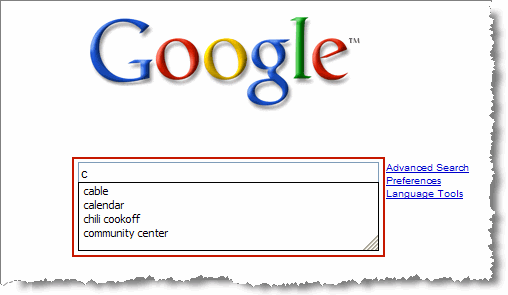
okay lets keep this tutorial short. you want movies and games/mp3 / games and dont' know where to get them, thank god there is google.com
goto www.google.com
put this string in
Delete An "undeletable" File

Open a Command Prompt window and leave it open.
Close all open programs.
Click Start, Run and enter TASKMGR.EXE
Go to the Processes tab and End Process on Explorer.exe.
Leave Task Manager open.
Go back to the Command Prompt window and change to the directory the AVI (or other undeletable file) is located in.
At the command prompt type DEL
Go back to Task Manager, click File, New Task and enter EXPLORER.EXE to restart the GUI shell.
Close Task Manager.
Sunday, December 13, 2009
Warez Definitions

ISO:
A file that is created from an image of a CD. You can make an iso yourself with a program such as Adaptec Easy CD Creator, or you can burn an ISO file to a CD-R to create a copy of a CD.
Bin/cue files:
These are also used to create an image of a CD. Most people burn these with CdrWin or Fireburner. The .bin file contains all the data for the cd, the .cue file is just a small file in text format telling the software exactly how to burn the data onto the CD.
Subscribe to:
Posts (Atom)
