
Quick Graphs in Excel 2007
If you have data in an Excel spreadsheet which you want to represent in a graph, just select any cell containing the data and press the F11 key. Right-click on the graph border to change the graph type, location or data.
Format Painter functions using keystrokes
The Format Painter tool is frequently used when
Showing posts with label Help. Show all posts
Showing posts with label Help. Show all posts
Thursday, December 31, 2009
MS Office Tips & Tricks
Vista, Internet Explorer and Outlook tips
Vista, Internet Explorer and Outlook tips
Internet Explorer
Is tabbed browsing cluttering up your life?In the Tools menu, select Internet Options. In the General tab, under Tabs, click the Settings button. Uncheck the topmost checkbox, which is labeled Enable Tabbed Browsing (requires restarting Internet Explorer), and click OK. To enable the tabbed browsing function later, just go back and select this option, and save your preferences.
Find on the Web Page
Useful tips and Tricks for Word 2007
Startup and settings
- To change the author name and initials that are displayed in comments and tracked changes for new or existing documents, update the name in the User name box (Word options dialog box, Popular category) or the Author document property. For more information, see Change the author name for documents.
- To assign keyboard shortcuts to frequently used styles, click Customize in the Customize category in the Word options dialog box. For more information, see Accessibility features in Word.
- Block users from changing the default Quick Style set
- On the Home tab, in the Styles group, click the Styles Dialog Box Launcher.
- In the Styles dialog box, click Manage Styles, and then click the Restrict tab.
- Select the Block
Monday, December 21, 2009
Getting started with Linux for nOObs!

I. What is Linux?
II. Trying it out
III. Installing
IV. What to do now
V. The Console
Intro:
This tutorial is written with the total Linux n00b in mind.
I've seen too many n00bs get totally left in the dark by asking what
the best distro is. They seem to only get flooded with too many
answers in so short a time. I'm a little bit of a n00b too, so I know
how it feels. I will cover a grand total of two basic distros. You may
learn to strongly prefer other ones (I do!) but this is just to get
you started. I touch on a number of topics that would be impossible to
go into in depth in one tutorial, so I encourage you to actively seek
out more about the concepts I make reference to.
Thursday, December 17, 2009
Speeding Up your Windows XP
Before you begin using this tutorial, kindly follow these tips:
- Follow every instructions very carefully.
- Make a back-up copy of your hard disks, in case you do anything wrong.
- Make a system restore point. In case you do anything wrong, you can just restore your PC to earlier settings.
- Before editing the registry, backup the registry first.
- Most changes take place after you reboot your PC.
Tuesday, December 15, 2009
How to create Windows XP Live CD, complete with preinstalled programs
To create a Windows XP Live CD we will require
1. Bart PEbuilder
2. A CD burner like Nero
3. A bootable Windows XP CD and
4. Some pebuilder plugins to customize the CD.
Step 1: Download PeBuilder from here and install it.
Hidden Programs In Windows Xp and Program Codes
1- Private Character Editor : This program is for designing icons
and Characters (Alphabets)
Click :start
Then :run
type :EUDCEDIT
Why You Should Backup Your Windows Registry
Importance of Making Registry Backups
The Windows Registry is one of the most important components of your Windows computer, because all configuration information related to hardware and software installed on your computer is stored within it. Therefore, not a single operation can be performed on your PC without consulting the registry.
To ensure that your PC is free from errors, it is important for you to maintain a healthy registry.It is also a
Writing .Reg Files
Writing .Reg Files
1.) Header line: this FIRST line is mandatory. MUST contain only these exact words (case sensitive = character capitalization required!):
- REGEDIT4 = for Windows 95/98/ME and NT 4.0 or
- Windows Registry Editor Version 5.00 = for Windows 2000/XP.
This is the only way Windows OS can recognize, validate and run a .REG file.
The Registry
It was introduced to replace the text/ASCII based MS -DOS configuration (.BAT, .SYS) and MS Windows initialization (.INI) files.
Structure of Registry in windows 9X is Different from that of Windows NT,2000 and XP.
Windows 95/98/ME :In these operating systems Registry is stored in these 5 files, with the Hidden,
Monday, December 14, 2009
Make Your Windows VISTA Super Fast
So you are using Windows Vista and feel that its slower than Windows XP? Then you have come to the right place.
Following tutorial will help you in tweaking your Windows Vista to the max and you’ll feel a significant improvement in your system performance. So without wasting any time lets start:
Following tutorial will help you in tweaking your Windows Vista to the max and you’ll feel a significant improvement in your system performance. So without wasting any time lets start:
1. Following code contains a few registry modifications, which are completely safe and can increase the performance of Windows Vista. Just paste following code in Notepad, save the file with name “Vishal.reg” (including quotes) and then run it:
.FLV – .MOV – .MP4 Thumbnails for Win XP WORKING, Add any extension and see a thumbnail of it…
It’s pretty easy once you got the trick… All you had to do is create a REG file with the next lines:
REGEDIT4
[HKEY_CLASSES_ROOT\.flv\ShellEx\{BB2E617C-0920-11d1-9A0B-00C04FC2D6C1}]
@=”{c5a40261-cd64-4ccf-84cb-c394da41d590}”
Hard drive gone bad

The most common problems originate
from corruption of the master boot record, FAT, or directory.
Those are soft problems which can usually be taken care of
with a combination of tools like Fdisk /mbr to refresh the
master boot record followed by a reboot and Norton disk doctor
or Spinneret.
Disable The Send Error Report, to Microsoft
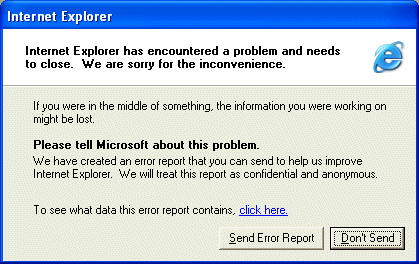
Open Control Panel
Click on Preformance and Maintenance.
Click on System.
Then click on the Advanced tab
Click on the error reporting button on the bottom of the windows.
Select Disable error reporting.
Click OK
Click OK
Delete An "undeletable" File

Open a Command Prompt window and leave it open.
Close all open programs.
Click Start, Run and enter TASKMGR.EXE
Go to the Processes tab and End Process on Explorer.exe.
Leave Task Manager open.
Go back to the Command Prompt window and change to the directory the AVI (or other undeletable file) is located in.
At the command prompt type DEL
Go back to Task Manager, click File, New Task and enter EXPLORER.EXE to restart the GUI shell.
Close Task Manager.
Sunday, December 13, 2009
Warez Definitions

ISO:
A file that is created from an image of a CD. You can make an iso yourself with a program such as Adaptec Easy CD Creator, or you can burn an ISO file to a CD-R to create a copy of a CD.
Bin/cue files:
These are also used to create an image of a CD. Most people burn these with CdrWin or Fireburner. The .bin file contains all the data for the cd, the .cue file is just a small file in text format telling the software exactly how to burn the data onto the CD.
Saturday, December 12, 2009
Using Google for searching ebooks
Google has some fantastic potential for you to find whatever you are after on the internet.
To search for a book / program / file perhaps try the following.
Go to Google's search page and use the following criteria in the search dialog
intitle:index.of? file extension Name of item
What is the Registry?
The Registry is a database used to store settings and options for the 32 bit versions of Microsoft Windows including Windows 95, 98, ME and NT/2000. It contains information and settings for all the hardware, software, users, and preferences of the PC. Whenever a user makes changes to a Control Panel settings, or File Associations, System Policies, or installed software, the changes are reflected and stored in the Registry.
What's a image file? What Should I Do With Image Files?

1. What's a image file?
(>) A image file is a CD/DVD, but instead of insert it into your CD/DVD-Rom, you open it from inside your Hard Disk. So, it's a file that replaces a normal CD/DVD. Inside the image are the CD/DVD files like if it were a CD/DVD.
2. What are the image files extensions?
(>) There's many extensions, but the most common are:
(>) iSO (Generic image file)
(>) BiN/CUE (Generic BiN image file)
(>) NRG (An image created using Nero Burning ROM)
(>) iMG/CCD/SUB (An image created using CloneCD)
(>) MDF (An image created using MagicISO Maker)
Thursday, December 10, 2009
How to do a high Quality DivX rip

First and foremost, go to
http://www.doom9.org
and go to their downloads section.
get the following files:
under Audio:
Besweet
Besweet GUI
Subscribe to:
Posts (Atom)
